CapCut vs Adobe Premiere Pro | Which Video Editor Is Better in 2026?
I have spent a good chunk of the past few years editing videos from quick Instagram Reels for small brands to full-length YouTube documentaries while working on CapCut vs Adobe Premiere Pro projects. At some point, I had both CapCut and Adobe Premiere Pro open on the same laptop, switching between them depending on what the project needed.
That hands-on experience is what this CapCut vs Adobe Premiere Pro comparison is built on. If you are trying to figure out which editor fits your workflow in 2026, you are in the right place. No fluff, no guesswork just an honest, side-by-side breakdown of both tools so you can make a confident decision.
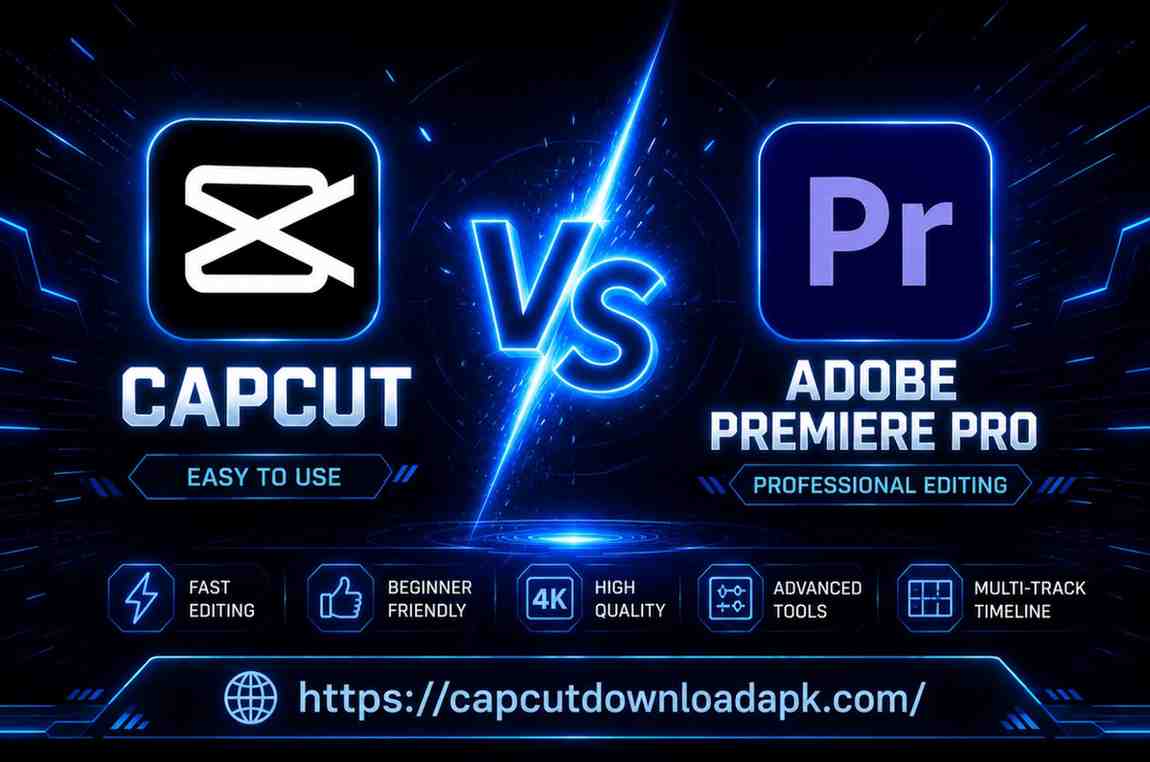
Quick Comparison: CapCut vs Adobe Premiere Pro
| Feature | CapCut | Adobe Premiere Pro |
| Price | Free (Pro: $7.99/mo) | $54.99/mo (Creative Cloud) |
| Best For | Beginners, Social Media | Professional Filmmakers |
| Platforms | Mobile + Desktop + Web | Windows & macOS only |
| Learning Curve | Very Easy | Steep |
| AI Tools | Strong (free) | Good (paid add-ons) |
| Export Quality | Up to 4K | Up to 8K+ RAW |
| Timeline Editing | Basic Multi-track | Advanced Multi-track |
| Creative Cloud | No | Full Integration |
| Collaboration | Limited | Frame.io Built-in |
What Is CapCut?
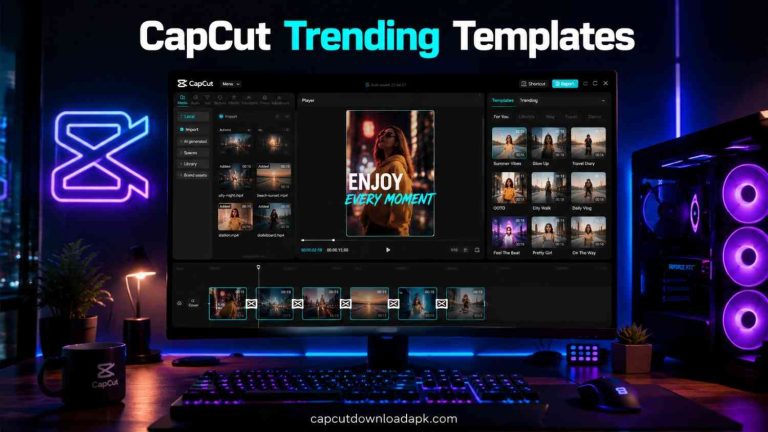
CapCut is a free video editing app developed by ByteDance the same company that runs TikTok. Originally launched as a mobile app for short-form content creators, it has grown into a full cross-platform tool available on iOS, Android, Windows, macOS, and even the browser.
The first time I opened CapCut, I was honestly surprised. Within ten minutes, I had trimmed a clip, added captions, applied a trending filter, and exported it to my phone. No tutorials needed. That kind of zero-friction experience is rare in video editing software.
It is built around creators who need fast results social media managers, small business owners, students, and anyone making content for TikTok, Instagram Reels, or YouTube Shorts.
Main Features of CapCut
- Auto Captions with AI: one click, done. Surprisingly accurate even with Indian accents and South Asian names.
- Background Removal: no green screen required.
- AI Cut: automatically trims your video to keep the best moments.
- 500+ Social Media Templates: ready-made for Reels, TikTok, and YouTube Shorts.
- Speed Ramping, Transitions, and Chroma Key: basic but functional.
- Multi-track Timeline: enough for most social content workflows.
- Export up to 4K: clean output for most platforms.
Pros and Limitations of CapCut
Pros: Free to use with genuinely useful free features. Works on mobile and desktop. Fast learning curve. Strong AI tools that actually save time. Great template library for social content.
Limitations: Not designed for long-form professional projects. Limited color grading depth. No integration with professional suites. Export formats are limited compared to industry tools. Privacy concerns have been raised in some markets due to its ByteDance ownership.
What Is Adobe Premiere Pro?
Adobe Premiere Pro is the industry-standard video editing software used in film production, broadcast television, and high-end YouTube content. I have used it to deliver projects for clients who needed broadcast-ready output and it has never let me down when the stakes are high.
The first time I opened Premiere Pro, I stared at the interface for a solid five minutes before clicking anything. There are panels for everything source monitor, program monitor, timeline, effects, audio mixer. It looks overwhelming. But once you learn where things live, you realize that complexity is actually power in disguise.
Premiere Pro runs on Windows and macOS and integrates deeply with Adobe After Effects, Audition, Photoshop, and the rest of the Creative Cloud ecosystem.
Main Features of Adobe Premiere Pro
- Multi-track Timeline with Nested Sequences: handle feature-length films with ease.
- Lumetri Color: professional-grade color grading tool with scopes and curves.
- Essential Sound Panel: clean up dialogue, add music, mix audio like a pro.
- Motion Graphics Templates (MOGRTs): animate titles and lower thirds quickly.
- Frame.io Integration: built-in collaboration and client review workflow.
- Scene Edit Detection: AI detects cuts in raw footage automatically.
- Export up to 8K in ProRes, H.265, and broadcast formats.
- Full Adobe Creative Cloud Integration: send clips to After Effects or audio to Audition in one click.
Pros and Limitations of Adobe Premiere Pro
Pros: Industry-standard used by Netflix and Hollywood productions. Unmatched color grading and audio tools. Deep Creative Cloud integration. Handles complex, long-form projects without breaking. Real-time collaboration via Frame.io.
Limitations: Expensive ₹4,230/month in India for the standalone plan. Steep learning curve for complete beginners. Requires a powerful computer (16GB RAM minimum recommended). Can be slow to render on older machines. Overkill if you only make short-form social content.
CapCut vs Adobe Premiere Pro: Head-to-Head Comparison
| Category | CapCut | Adobe Premiere Pro |
| User Interface | Drag-and-drop, mobile-first, very intuitive | Multi-panel workspace, highly customizable |
| Platforms | iOS, Android, Windows, macOS, Web | Windows 10/11, macOS 12+ |
| Pricing | Free / Pro $7.99/mo | $54.99/mo or $599.88/year |
| Timeline | Simple multi-track, great for short-form | Full NLE timeline, keyframing, nested sequences |
| Effects & Filters | Trendy, social-ready filters & AR effects | Lumetri Color, Motion Graphics, vast plugin library |
| Audio Editing | Basic noise reduction, voiceover, music sync | Full mixer, EQ, essential sound panel, Dolby Atmos |
| AI Features | Auto captions, background removal, AI cut | Speech-to-text, Scene Edit Detection, Auto Reframe |
| Templates | 500+ trending social templates | Motion Graphics Templates (MOGRT), third-party |
| Export | Up to 4K, MP4, GIF, various presets | Up to 8K, ProRes, H.265, XML, EDL, broadcast formats |
| Collaboration | Basic project sharing | Frame.io integrated, team projects |
| Creative Cloud | No integration | Seamless: After Effects, Audition, Photoshop |
User Interface and Ease of Use
CapCut wins here, and it is not even close. The interface is clean, mobile-first in design thinking, and genuinely intuitive. You drag, you drop, you tap. Most creators are editing their first video within minutes of downloading the app.
Premiere Pro’s interface is designed for professionals who spend 8+ hours in the software. It is customizable, powerful, and to a beginner intimidating. I remember my first week: I accidentally deleted a panel and spent 20 minutes figuring out how to get it back while working on CapCut vs Adobe Premiere Pro.
That said, once you invest the learning time, Premiere becomes an extension of your creative mind in this CapCut vs Adobe Premiere Pro comparison.
Supported Platforms and Device Compatibility
This supports CapCut iOS, Android, Windows, macOS, and the web browser. You can start editing a video on your phone during lunch and finish it on your laptop at home. That flexibility is genuinely useful for creators on the go especially in India and South Asia where mobile-first workflows are extremely common.
Premiere Pro is desktop-only Windows and macOS. No mobile version, no browser option. If your primary device is a phone or a mid-range laptop, this becomes a real constraint.
Pricing and Subscription Plans
This is where things get very different, especially for creators in India and South Asia:
| Plan | CapCut | Adobe Premiere Pro |
| Free Tier | Yes – full basic editing | No – trial only (7 days) |
| Individual Paid | $7.99/month (CapCut Pro) | $54.99/month (standalone) |
| Bundle Option | N/A | $59.99/mo (All Apps) |
| Student Discount | No specific plan | ~60% off for students |
| Best Value For | Beginners & hobbyists | Full-time video professionals |
For most students, freelancers, and small content creators in the Indian subcontinent, CapCut’s free tier is genuinely enough to build a solid content pipeline. Premiere Pro’s pricing while fair for a full-time professional billing clients is a heavy monthly commitment for someone just starting out.
Editing Tools and Timeline Features
CapCut’s timeline is simple and gets the job done for short-form content. You get basic multi-track editing, split, trim, speed control, and transitions. For a 60-second Reel, it is perfect.
Premiere Pro’s timeline is a completely different beast. You have nested sequences, compound clips, multi-camera editing, ripple and rolling edits, keyframing for every single parameter, and the ability to handle a 2-hour feature film without choking. If you are building complex projects with multiple layers of video, audio, and effects, Premiere is the clear winner.
Effects, Filters, and Motion Graphics
CapCut has a solid library of trendy filters, AR effects, and stickers that are perfectly optimized for social media aesthetics. The templates refresh regularly to match what is trending which is genuinely useful when you want your content to feel current.
Premiere Pro’s effects library is deeper and more professional. Lumetri Color alone is worth the subscription for anyone serious about visual storytelling. Add Motion Graphics Templates and the ability to import After Effects compositions, and you have a toolkit that can produce broadcast-quality output.
Audio Editing Capabilities
Audio is where Premiere Pro really separates itself. The Essential Sound Panel lets you classify audio as Dialogue, Music, SFX, or Ambience and automatically suggests the right processing. You get a full parametric EQ, noise reduction, reverb, and even Dolby Atmos mixing for immersive audio.
CapCut offers basic audio controls: volume adjustment, noise reduction, music sync, and voiceover recording. For social media content, that is enough. But for a wedding film, a documentary, or a client commercial, you will feel the gap quickly.
AI Features and Automation Tools
Both tools have invested heavily in AI but they serve different needs.
CapCut’s AI features are designed for speed: auto captions, background removal, AI-generated B-roll suggestions, auto-beat sync with music, and face enhancement. They work well and save real time on repetitive tasks.
Premiere Pro’s AI features are more professional in nature: Scene Edit Detection automatically finds cuts in raw footage, Speech to Text enables fast transcription-based editing, Auto Reframe repurposes content across aspect ratios, and Remix fits music to your edit length using AI. These features shine in professional production environments.
Templates and Ready-Made Assets
CapCut has over 500 templates designed specifically for trending social formats. Many of them are updated weekly based on what is performing on TikTok and Instagram. If you want to quickly create something that looks on-trend without starting from scratch, CapCut is significantly faster.
Premiere Pro has Motion Graphics Templates (MOGRTs) that can be created in After Effects and used directly in the timeline. The quality ceiling is much higher, but creating or customizing these templates requires more skill.
Export Quality and File Formats
CapCut exports up to 4K at 60fps in MP4 format. For most social platforms, that is more than sufficient. You can also export GIFs and use preset profiles for YouTube and TikTok.
Premiere Pro exports in virtually every format the industry uses: H.264, H.265, ProRes, DNxHD, MXF, XML, EDL, and up to 8K resolution. If you are delivering to a broadcast network, a streaming platform, or a film festival, Premiere gives you the control you need.
Collaboration and Workflow Integration
Premiere Pro integrates natively with Frame.io a professional video review and collaboration platform. Clients can leave timestamped comments directly on your video, approve cuts, and receive final deliverables, all from within Premiere. For agency work and client projects, this alone justifies the subscription.
CapCut allows basic project sharing and team workspace features in its Pro plan, but in the broader CapCut vs Adobe Premiere Pro comparison, the collaboration depth does not come close to what Premiere Pro plus Frame.io offers.
Adobe Creative Cloud Integration
This is one area where Premiere Pro has absolutely no competition. When you are working on a complex brand video, you can send your audio to Adobe Audition for professional mixing, jump to After Effects to build a custom animated title, pull in assets from Adobe Stock, and bring it all back into Premiere without ever leaving the Creative Cloud ecosystem. CapCut has no equivalent. For professional workflows, this integration is genuinely transformative.
Learning Curve and Skill Requirements
CapCut: You can learn the essentials in an afternoon. The interface guides you naturally, and thousands of short tutorials on YouTube get straight to the point.
Premiere Pro: Expect to invest 2 to 4 weeks of regular practice before you feel comfortable, and months before you feel truly efficient. But that investment pays off the skills you build in Premiere are highly valued and professionally transferable. Freelancers and video editors in India who are proficient in Premiere Pro can command significantly higher project rates.
CapCut vs Premiere Pro | Performance Comparison
Speed and Rendering Performance
CapCut is lighter on system resources and renders quickly especially on mobile. On a mid-range Android phone or a basic Windows laptop, you can export a 1-minute video in under two minutes. That matters a lot in markets like India where high-end hardware is not always accessible.
Premiere Pro needs muscle behind it. Ideally, 16GB RAM, a dedicated GPU, and a multi-core processor. On a capable machine, it is fast. On an underpowered one, prepare for slow previews and long export times.
4K Video Editing Experience
CapCut handles 4K footage reasonably well on desktop, though it can stutter on lower-end machines. Premiere Pro’s 4K performance is excellent when hardware requirements are met and proxy workflows further smooth out the experience on less powerful systems.
Stability and Professional Workflow
Premiere Pro has had a history of occasional crashes, particularly post-update a common complaint among long-time users. That said, Adobe has improved stability significantly in recent versions. CapCut, being a lighter app, is generally more stable on the devices it targets.
Reasons to Choose CapCut
Best for Beginners and Content Creators
If you are just starting your content creation journey whether you are a student in Lahore making YouTube videos, a small business owner in Mumbai creating Instagram content, or a food blogger in Dhaka experimenting with Reels CapCut gives you everything you need to get started without spending a single rupee.
The free plan is genuinely generous. The AI tools save hours of tedious work. And the learning curve is low enough that you can focus on your creative ideas rather than fighting the software.
Ideal for TikTok, Reels, and YouTube Shorts
CapCut was built for short-form content, and it shows. The templates are optimized for vertical formats. The export presets are pre-configured for TikTok, Instagram, and YouTube Shorts. The trending filters and effects match what is working right now on these platforms. If your entire content strategy lives in short-form video, CapCut is your most efficient tool.
Reasons to Choose Adobe Premiere Pro
Best for Professional Video Editors
If you are building a career as a video editor working with brands, agencies, production houses, or creating content that needs to meet broadcast standards Premiere Pro is the industry tool you need to master. Production companies in India, Pakistan, and Bangladesh increasingly require Premiere Pro proficiency in their job listings.
The ability to work with After Effects, Audition, and Photoshop in a unified ecosystem adds enormous value to professional workflows. If a client sends you footage with complex audio issues, you send it to Audition. If they want a custom animated title sequence, you build it in After Effects and import it back. That kind of integration is impossible to replicate elsewhere.
Suitable for YouTube and Commercial Projects
For long-form YouTube content, client commercials, brand films, wedding videography, or documentary work, Premiere Pro is the better investment. The depth of color grading, the advanced audio tools, and the professional export options give your final product a level of quality that separates it from amateur work.
Common Editing Mistakes Beginners Make
Choosing Software Based Only on Price
The biggest mistake I see new creators make in the CapCut vs Adobe Premiere Pro debate is picking software purely because it is free or avoiding Premiere Pro purely because it costs money. The real question is: what does your workflow actually need? If you make three TikToks a week, CapCut’s free plan is genuinely better than a paid Premiere subscription.
But in the CapCut vs Adobe Premiere Pro comparison, if you are trying to land freelance clients or work in a production environment, investing in Premiere Pro skills has a clear return on investment.
Ignoring Hardware Requirements and Workflow Needs
Downloading Premiere Pro on a 4GB RAM laptop is a recipe for frustration. Before choosing either tool, be honest about your hardware. CapCut works on almost anything. Premiere Pro needs a proper setup. Plan accordingly.
Which Editor Offers Better Value for Money?
For creators in India, Pakistan, Sri Lanka, and Bangladesh where the cost of a Premiere Pro subscription is a significant monthly expense CapCut offers exceptional value. You get professional-looking results for free.
For those who can justify the investment, Premiere Pro’s value becomes apparent quickly. The professional output, the integrations, the collaboration tools, and the career-level skill building make it worth every rupee for a working video professional.
The short answer: CapCut wins on value for casual and social content. Premiere Pro wins on value for professional video production.
Conclusion
Who Should Choose CapCut?
- Students and beginners just getting started with video editing
- Social media creators focused on TikTok, Instagram Reels, and YouTube Shorts
- Small business owners creating their own marketing content
- Anyone on a tight budget who needs a capable, free tool
- Mobile-first creators in South Asia who edit on-the-go
Who Should Choose Adobe Premiere Pro?
- Professional video editors working with clients or agencies
- YouTubers producing long-form, high-quality content
- Wedding videographers, documentary makers, and commercial video producers
- Editors who need deep integration with After Effects and Audition
- Anyone building a career in video production who needs industry-standard skills
Both tools are excellent at what they are designed for. The mistake is using the wrong one for the wrong job. Use CapCut to move fast and create social-ready content. Use Premiere Pro when the project demands professional precision.
If you are just starting out in the CapCut vs Adobe Premiere Pro journey, begin with CapCut master the fundamentals of storytelling and pacing. When your projects outgrow it, make the move to Premiere Pro. The transition is easier once you already understand editing concepts, especially when comparing CapCut vs Adobe Premiere Pro at a professional level.
Frequently Asked Questions
Is CapCut better than Adobe Premiere Pro?
It depends entirely on your use case. CapCut is better for quick, social media-focused editing especially for beginners and mobile creators. Adobe Premiere Pro is better for professional, long-form, and broadcast-quality video production. Neither is universally “better” they serve different audiences.
Can CapCut replace Premiere Pro for professional editing?
Not currently. CapCut lacks the depth of color grading, advanced audio tools, multi-camera editing, and professional export formats that Premiere Pro offers. For social content, it competes well but for professional deliverables, Premiere Pro remains the standard.
Which editor is easier for beginners?
CapCut is significantly easier to learn. Most beginners can edit and export their first video within 30 minutes. Premiere Pro has a steep learning curve that typically takes weeks to months to master comfortably.
Does Premiere Pro have more features than CapCut?
Yes, by a wide margin. Premiere Pro has more advanced color grading, audio mixing, timeline control, export options, and integrations. However, many of those features are designed for professional use cases that casual creators simply do not need.
Which software is better for YouTube videos?
For YouTube Shorts, CapCut is faster and easier. For long-form YouTube videos especially those aimed at building a professional channel Adobe Premiere Pro gives you significantly more control over quality and storytelling.
Which editor offers better AI tools?
Both have strong AI features, but they serve different purposes. CapCut’s AI tools auto captions, background removal, AI cut are designed for speed and accessibility. Premiere Pro’s AI tools Scene Edit Detection, Speech to Text, Auto Reframe are designed for professional workflows. CapCut’s AI is more beginner-friendly; Premiere Pro’s AI integrates more deeply into complex production pipelines.
Is CapCut free to use?
Yes, CapCut has a genuinely useful free tier that includes most core editing features. The Pro plan ($7.99/month) unlocks additional AI tools, premium templates, and advanced export options.
Which alternative is better than both CapCut and Premiere Pro?
For beginners who want something between the CapCut vs Alight Motion and CapCut vs Adobe Premiere Pro options, DaVinci Resolve is worth exploring it offers professional-grade color grading and a free tier that is more powerful than CapCut’s. For pure short-form content, tools like InShot or VN are also very popular in South Asia.