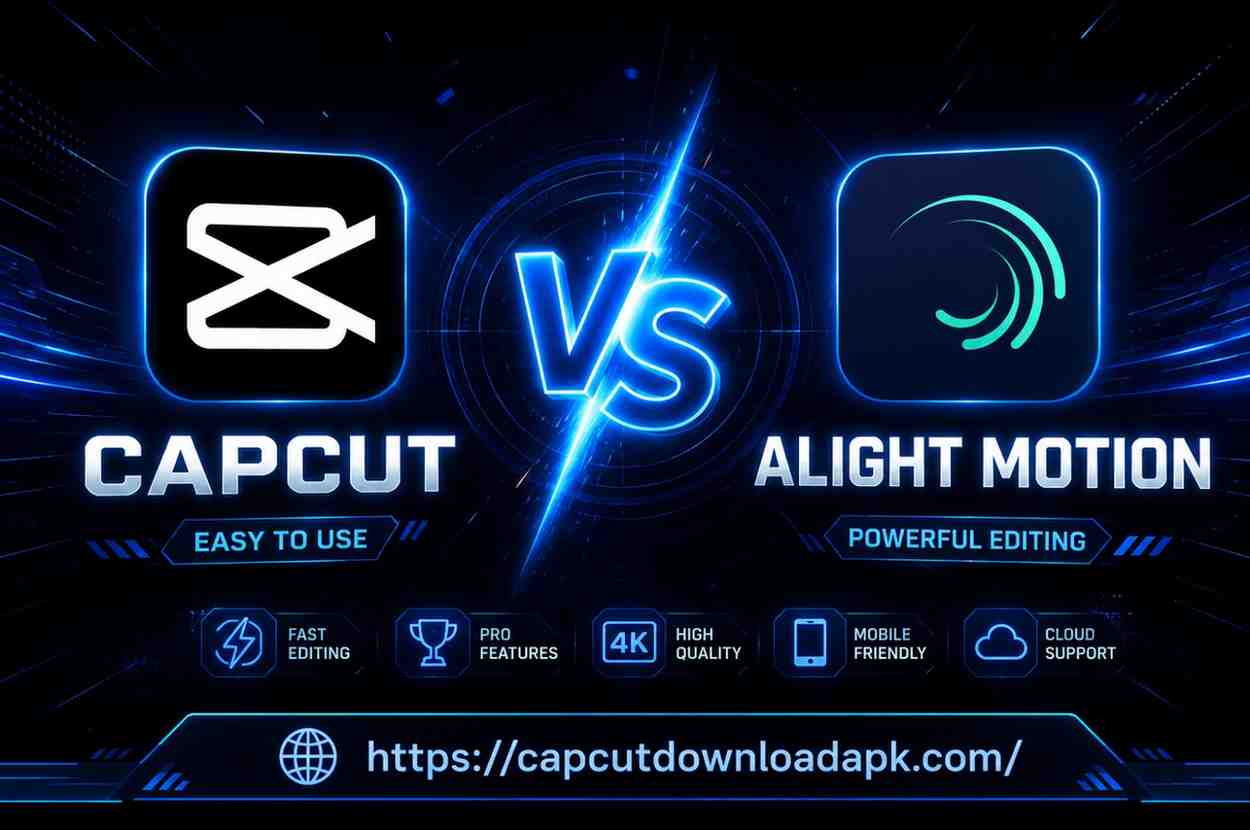
CapCut vs Alight Motion (2026): Which Video Editing App Is Better for Creators?
I still remember the first time I opened Alight Motion on my phone. I had just switched from a desktop editing setup, and I was honestly expecting something basic just a quick trim and export kind of app. But then I added my first keyframe, stacked a few layers, and realized this was something else entirely. That same week, a friend told me to try CapCut. I did. Within five minutes I had a polished TikTok ready. Two completely different experiences. Two completely different apps built for two completely different creators.
That experience is exactly why this comparison matters. CapCut vs Alight Motion is one of the most searched questions in the mobile video editing world right now and for good reason. Both apps are free, both work on Android and iPhone, and both are genuinely powerful. But they serve very different purposes, and choosing the wrong one will cost you time and frustration.
In this guide, I’m going to break down everything from animation tools and export quality to pricing, safety, and who each app is actually made for. No fluff. Just what you need to make the right call.
CapCut vs Alight Motion at a Glance
Before we go deep, let’s get a bird’s-eye view. If you’re in a hurry, this section will give you the answer in under a minute.
Quick Comparison
| Feature | CapCut | Alight Motion |
| Best For | Quick social media content | Motion graphics & animation |
| Learning Curve | Beginner-friendly | Moderate to advanced |
| Keyframe Animation | Basic | Advanced, frame-accurate |
| Multi-Layer Editing | Limited | Full multi-layer support |
| Vector Graphics | No | Yes |
| AI Editing Tools | Yes (strong) | No |
| Templates & Presets | Thousands | Limited (community-based) |
| Export Quality | Up to 4K | Up to 4K, more control |
| Free Version | Very generous | Feature-limited |
| Platforms | Android, iOS, PC, Web | Android, iOS |
| Price (Premium) | Free / CapCut Pro | Free / ~$4.99/month |
Key Differences in One Minute
CapCut APK is built for speed and simplicity. It uses AI tools, one-tap templates, and auto-beat sync to help you create professional-looking content fast. It’s the app millions of TikTok and Instagram creators rely on daily because it removes friction from the process.
Alight Motion is built for precision and control. It works more like a lightweight professional motion graphics tool on your phone. If you want to animate individual letters, build custom visual effects from scratch, or work with multiple composition layers Alight Motion is where that happens.
The simplest way to think about it: CapCut For Pc is the app for creators who want results fast. Alight Motion is the app for creators who want full creative control.
What Is CapCut?
CapCut vs Alight Motion comparisons often begin with understanding what CapCut offers. CapCut is a free all-in-one video editing app developed by ByteDance, the same company behind TikTok. It launched in 2020 and quickly became one of the most downloaded editing apps in the world.
As of 2026, it has over 300 million active users globally, with a massive following across India, Southeast Asia, and South Asia. Its popularity makes it a strong contender in the CapCut vs Alight Motion debate, especially for creators looking for an easy-to-use editing solution.
What made CapCut explode in popularity wasn’t just its features it was the fact that it made professional-looking edits accessible to anyone. A 16-year-old in Karachi and a content marketer in Mumbai could both open CapCut and produce something polished within minutes.
Main Features of CapCut
CapCut packs a wide range of tools into a clean, intuitive interface. Here’s what you get out of the box:
AI-Powered Tools: Auto captions with high accuracy, background remover, AI video enhancer, smart cutout, and AI-generated text effects that animate automatically. These features alone save hours of manual work.
Template Library: Thousands of ready-made video templates synced to trending audio. You tap a template, replace the clips with your footage, and you’re done. This is a game-changer for social media creators.
Beat Sync and Auto Match: CapCut automatically syncs your video cuts to the beat of any background track. For music-driven content, this feature alone justifies using the app.
Text and Sticker Animations: A massive collection of animated text styles, stickers, and overlays. The app updates these regularly to match trending aesthetics on TikTok and Instagram Reels.
Green Screen / Chroma Key: Remove and replace backgrounds without a physical green screen. The AI-powered cutout is surprisingly accurate on most footage.
Transitions and Effects: Hundreds of pre-built transitions, cinematic filters, and visual effects. Most of them are one-tap applications.
Export Quality: Supports export up to 4K resolution at 60fps, with options for MP4 and GIF formats.
Who Should Use CapCut?
CapCut is the right choice for you if:
You create content for TikTok, Instagram Reels, or YouTube Shorts and need to move fast. You’re a beginner who wants results without a steep learning curve. You love using trending audio, templates, and AI-assisted editing. You don’t need frame-accurate animation or complex layer management. You want an app that handles everything from shooting to posting in one workflow.
What Is Alight Motion?
Alight Motion is a professional-grade motion graphics and video editing app developed by Alight Creative Inc. It was built from the ground up to give mobile creators access to tools that were previously only available in desktop software like After Effects.
Unlike the simplicity-focused approach highlighted in many CapCut vs Alight Motion comparisons, Alight Motion focuses on making editing precise. The app appeals to a very specific kind of creator someone who thinks about animation curves, blending modes, and layer masking.
Someone who wants to build something that looks unique rather than template-based, making it a preferred choice for users who value creative control in the CapCut vs Alight Motion debate.
In South Asia especially, Alight Motion has a passionate community of motion designers, YouTube editors, and short-film creators who use it to build effects that genuinely look like desktop-grade production work.
Main Features of Alight Motion
Multi-Layer Composition: Work with unlimited video, audio, image, text, and effect layers simultaneously. Each layer can be controlled independently, giving you desktop-level editing depth.
Keyframe Animation: This is where Alight Motion truly separates itself. You can set keyframes for position, scale, rotation, opacity, color, and custom effects with precise easing controls. This is how professional motion designers animate in apps like After Effects, and Alight Motion brings that to your phone.
Vector Graphics: Create and animate resolution-independent vector shapes directly inside the app. No other major mobile editing app offers this at the same level.
Blending Modes: Over 20 blending modes similar to what you’d find in Photoshop or Premiere Pro. Multiply, Screen, Overlay, Add, Lighten these give you real creative control over how layers interact with each other.
Visual Effects and Color Grading: Built-in color correction tools, gradient effects, glow, chromatic aberration, lens flare, and many more. Each effect has full parameter control.
XML Preset Support: The Alight Motion community has built an enormous library of free XML presets shake effects, text presets, transition packs that you can import directly into the app.
Audio Editing: Multi-track audio with volume keyframing, pitch control, and audio visualization.
Who Should Use Alight Motion?
Alight Motion is the right choice for you if:
You want to create custom motion graphics and animations from scratch. You work with multiple layers and need precise frame-by-frame control. You edit YouTube intros, title sequences, lyric videos, or cinematic transitions. You’re comfortable with a slightly higher learning curve in exchange for greater creative freedom. You want your work to look completely original not template-based.
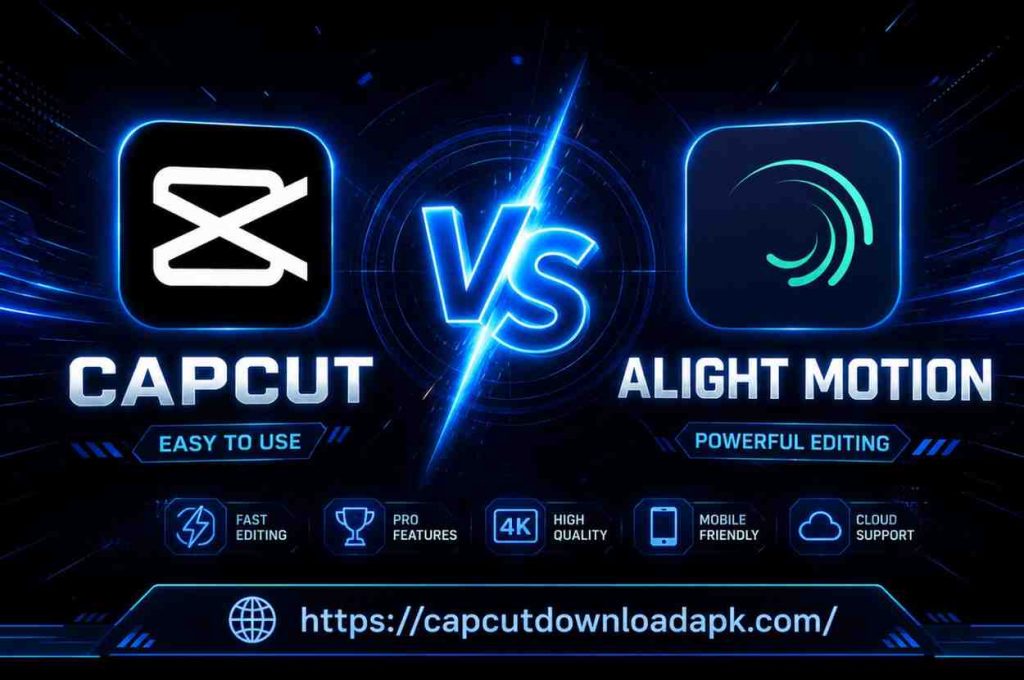
CapCut vs Alight Motion | Feature-by-Feature Comparison
Let’s get into the real breakdown. I’ve spent time using both apps extensively, and here’s how they compare on every dimension that actually matters.
User Interface and Learning Curve
The moment you open CapCut, everything makes sense. The timeline is at the bottom, tools are clearly labeled, and you can start editing within seconds. Even if you’ve never edited a video in your life, CapCut’s interface walks you through the process intuitively. For someone picking up mobile video editing for the first time in Lahore, Delhi, or Dhaka CapCut removes every possible barrier.
Alight Motion is different. The interface is clean, but it’s layered. You work with a composition timeline that has tracks, and each track has its own properties panel. The first time most people open it, they spend 10–15 minutes just figuring out where things are. That’s not a flaw it’s a reflection of the app’s depth. But it does mean there’s a real learning investment upfront.
Verdict: CapCut wins on ease of use. Alight Motion wins for experienced creators who need depth.
Editing Tools and Flexibility
CapCut handles all the standard editing tasks beautifully trimming, splitting, speed ramping, reverse, freeze frame, and smart crop for different aspect ratios. Everything you need for social media editing is there and works smoothly.
Alight Motion’s core editing tools are equally solid, but the real flexibility comes from how you can layer and combine elements. You can have a background video, a text layer with animated properties, a shape overlay with a blending mode applied, and a particle effect on top all running simultaneously and all independently controllable.
Verdict: For basic editing, CapCut is more efficient. For complex, layered production work, Alight Motion has no competition on mobile.
Keyframe Animation Capabilities
This is one of the biggest differentiators between the two apps. Keyframe animation is how you create smooth, controlled motion like a title sliding in with a custom easing, or an element that scales up and fades out at the same time.
CapCut has basic keyframe support. You can animate position, scale, and rotation on clips and text layers. It’s functional for simple effects, but the easing controls are limited. You can’t get truly custom animation curves.
Alight Motion’s keyframe system is in a completely different league. You can keyframe virtually any property position, scale, rotation, opacity, color values, blur amount, gradient stops, and custom effect parameters. The graph editor lets you control the exact animation curve between keyframes, so you can design the acceleration and deceleration of any movement precisely. This is the feature that makes Alight Motion feel like After Effects on a phone.
Verdict: Alight Motion wins decisively. If keyframe animation matters to you, there’s no comparison.
Motion Graphics and Multi-Layer Editing
CapCut supports multiple layers you can stack clips, text, stickers, and effects. But the layer system has a practical limit. Once you start adding many elements, the workflow gets cluttered and the app doesn’t give you the granular control to manage complex compositions efficiently.
Alight Motion was built for multi-layer work. Each layer appears on its own track in the timeline, with its own start and end point, its own effects stack, and its own keyframe strip. You can group layers, adjust their blend modes, and nest compositions. This is exactly how professional motion graphics software works.
Verdict: Alight Motion is purpose-built for motion graphics. CapCut is not.
Vector Graphics Support
CapCut does not support native vector graphics creation. Everything you work with is raster-based pixels, not vectors.
Alight Motion supports vector shape layers natively. You can draw ellipses, rectangles, custom paths, and animate them with keyframes. Because they’re vectors, they stay sharp at any scale, which is important for logos, titles, and graphic elements that need to look clean at different resolutions and aspect ratios.
Verdict: Alight Motion wins. CapCut doesn’t offer this at all.
Templates and Presets
This is CapCut’s strongest area. The template library is massive, constantly updated, and synced to trending content formats. You can browse by platform (TikTok, YouTube, Instagram), by category, or by trending audio. Applying a template takes seconds, and the results look polished immediately.
Alight Motion doesn’t have a comparable built-in template system. Instead, it relies on a community ecosystem of XML presets and project files shared through Telegram groups, YouTube tutorials, and community forums. These are often excellent the community is highly creative but it’s not as organized or immediately accessible as CapCut’s native library.
Verdict: CapCut wins by a large margin for templates.
Effects, Filters, and Visual Enhancements
CapCut offers hundreds of effects and filters cinematic color grades, glitch effects, vignettes, light leaks, and more. All are one-tap applications with adjustable intensity. The results look great for social media content.
Alight Motion’s effects are fully parametric. Every effect blur, glow, chromatic aberration, color correction has multiple adjustable parameters, and each parameter can be keyframed. This means you can animate an effect itself. For example, you could create a blur that starts at 0 and increases over 15 frames to create a focus-pull effect. That level of control isn’t available in CapCut.
Verdict: CapCut wins for quick, polished results. Alight Motion wins for custom, animated effects.
Text Animation and Font Styles
CapCut has an outstanding text system hundreds of animated text styles, custom fonts, auto-generated captions with animated highlighting, and text-to-speech tools. For social media subtitles and title cards, it’s genuinely excellent.
Alight Motion’s text tool is more powerful technically you can animate individual characters, control tracking, leading, and kerning with keyframes, and apply effects to text layers. But it has fewer out-of-the-box animated styles compared to CapCut.
Verdict: CapCut wins for ready-to-use text styles. Alight Motion wins for custom text animation work.
Audio Editing and Beat Sync Features
CapCut’s audio tools are well-designed for social media use. Auto beat sync, a built-in royalty-free music library, audio ducking, and sound effects everything you need for content that hits right on the rhythm is there. The beat sync feature in particular is one of the best implementations I’ve seen on any mobile app.
Alight Motion has multi-track audio with volume keyframing and waveform visualization. You can do precise audio editing, but it doesn’t have the auto-sync or beat detection features that CapCut offers.
Verdict: CapCut wins for audio-driven social content. Alight Motion wins for precise audio control in long-form projects.
Export Quality and Supported Formats
CapCut exports up to 4K at 60fps in MP4 format. The quality is consistently good, and exports are fast. However, you don’t have deep control over bitrate, codec, or color profile settings.
Alight Motion also exports up to 4K and offers more granular control over export settings you can adjust frame rate, bit rate, and format options. It supports MP4 and GIF export, and for certain use cases (like creating animated overlays), the level of export control matters.
Verdict: Both are strong. Alight Motion offers slightly more control for professional outputs.
Performance and Rendering Speed
CapCut is highly optimized. The app runs smoothly on mid-range Android phones and even older iPhones. Exports are fast, and real-time playback is reliable even with multiple effects applied.
Alight Motion can be demanding especially on Android. Complex compositions with many layers, effects, and keyframes can cause frame drops during preview and slower render times. On higher-end devices it performs well, but on budget phones, large projects can feel sluggish.
Verdict: CapCut wins on performance across a wider range of devices.
Device Compatibility (Android, iPhone, Tablet)
CapCut is available on Android, iOS, iPad, Windows PC, Mac, and web browser. This cross-platform availability is a major advantage you can start a project on your phone and finish it on your computer.
Alight Motion is available on Android and iOS only. There is no desktop or web version, which limits where and how you can work.
Verdict: CapCut wins on device compatibility.
Social Media Optimization for TikTok, Instagram, and YouTube
CapCut was literally built for TikTok same parent company. It has native aspect ratio presets for every major platform, trending audio integration, and templates designed specifically for Reels, Shorts, and TikTok. If your primary goal is creating content for social media platforms, CapCut was designed exactly for that purpose.
Alight Motion doesn’t have native platform presets, but you can manually set your canvas to any size and aspect ratio. It’s certainly capable of producing social media content many creators do but it requires more setup and doesn’t have the platform-specific shortcuts CapCut offers.
Verdict: CapCut wins for social media creators.
Advanced Editing Features Comparison
AI Tools and Auto Editing Features
CapCut’s AI toolkit in 2026 is genuinely impressive. Background removal, object tracking, AI upscaling, motion blur generation, auto-caption generation, and AI-powered text effects are all built in. For creators who want professional results without manual effort, these tools are a genuine superpower.
Alight Motion has no AI editing tools. Every effect, animation, and transition is created manually. This is a deliberate design philosophy Alight Motion is built for creators who want to do the work themselves, with full creative control.
Verdict: CapCut wins by a significant margin for AI-assisted editing.
3D Effects and Transitions
CapCut includes 3D-style transitions and effects that simulate depth 3D zoom, perspective shifts, and parallax effects. These are pre-built and easy to apply.
Alight Motion allows you to simulate 3D effects through layer manipulation, perspective transforms, and keyframed camera moves. The results can be more unique, but they require significantly more work to create.
Verdict: CapCut wins for ease. Alight Motion wins for originality.
Professional Motion Graphics Workflow
This is Alight Motion’s home territory. If your work involves creating title sequences, animated logo reveals, lyric videos, motion typography, or any kind of frame-by-frame animation work Alight Motion is the only mobile app that gives you a genuine professional workflow. The combination of vector graphics, parametric effects, advanced keyframing, and multi-layer composition puts it in a category that CapCut simply doesn’t compete in.
Content Creation Ecosystem
CapCut has built an entire ecosystem around content creation templates, trending sounds, creator communities, direct publishing integrations, and AI tools. It’s a complete content production pipeline in one app.
Alight Motion’s ecosystem lives in community spaces Telegram channels, YouTube tutorial creators, and preset sharing forums. It’s vibrant but requires more initiative to access.
CapCut vs Alight Motion for Motion-Heavy Edits
If you’re trying to create motion-heavy content think complex text animations, layered visual effects, cinematic transitions, particle systems, or any kind of animation that requires precise timing this section is for you.
Animation Precision
Alight Motion gives you frame-accurate control over every element in your composition. You can place keyframes at any frame not just at full-second intervals and the graph editor lets you control exactly how an element moves between two states. This level of precision is what separates a generic effect from something that looks custom-crafted.
CapCut’s animation system is functional but approximate. You can create basic motion, but you can’t get the same frame-accurate, curve-controlled precision.
Complex Effects and Layer Control
Alight Motion handles complex compositions with many layers, blend modes, and nested effects in a way that CapCut simply wasn’t designed to do. If your edit requires 10+ layers with individual effect stacks and keyframe animations Alight Motion is the tool for that.
Workflow Efficiency
For motion-heavy work specifically, Alight Motion is actually more efficient despite its steeper learning curve. Once you know the workflow, building complex animations is faster because every tool is designed for that exact purpose.
Which App Performs Better?
For motion-heavy editing: Alight Motion wins without question. CapCut is not built for this type of work.
CapCut vs Alight Motion Pricing Comparison
Free Version Features
CapCut’s free version is remarkably generous. Almost everything is available without a subscription templates, AI tools, exports, and effects. The main limitations are minor branding elements on some templates and restricted access to a portion of the premium template library.
Alight Motion’s free version is more restricted. Certain export options, premium effects, and advanced features require a paid subscription. The watermark on free exports was a long-standing complaint before the app updated its free tier though community XML presets remain accessible without payment.
Premium Plans and Subscription Models
CapCut Pro adds access to the full premium template library, advanced AI features, expanded cloud storage, and priority rendering. Pricing varies by region but is generally around $7.99/month or $49.99/year in most markets.
Alight Motion’s subscription (Alight Motion Premium) is typically around $4.99/month or $29.99/year. It unlocks full export quality, removes watermarks on certain outputs, and provides access to all premium effects and plugins.
Which App Offers Better Value?
For most users, CapCut’s free version offers more out-of-the-box value than Alight Motion’s free version. If you’re a motion designer who needs Alight Motion’s specific capabilities, the subscription price is fair for what you get.
Pros and Cons of CapCut
Advantages
CapCut is remarkably easy to pick up for creators of any skill level. The AI-powered tools genuinely save time background removal, auto captions, and beat sync work well in real-world use. The template library is enormous and stays current with trends, which is valuable for social media creators who need to move fast. Cross-platform support means you can work across phone, tablet, and computer with synced projects. The free version is genuinely useful without feeling stripped down.
Limitations
CapCut’s keyframe and animation system is basic compared to professional tools. Multi-layer management gets unwieldy on complex projects. You have limited control over export settings and codec options. Because everyone uses the same template library, content can start to look familiar the template-driven approach is a double-edged sword. The connection to ByteDance has raised data privacy questions in some markets.
Pros and Cons of Alight Motion
Advantages
Alight Motion gives you professional-grade motion graphics capability on a mobile device. The keyframe animation system with graph editor and parametric controls is genuinely powerful. Vector graphics support is unique among mobile editing apps. The blending modes and effect stack system give you real creative depth. The community preset ecosystem means you can access hundreds of free effects, transitions, and animation presets created by other users. Your content looks original rather than template-based.
Limitations
The learning curve is real. New users will spend time figuring out the interface before they can create efficiently. Performance on budget Android devices can be slow with complex projects. There’s no desktop or web version, which limits your workflow flexibility. The built-in template library is limited compared to CapCut. AI tools are absent entirely.
CapCut vs Alight Motion | Which One Is Easier for Beginners?
If you are just starting out with video editing, CapCut is the better choice and it’s not particularly close. The app was designed with new creators in mind, and that philosophy shows in every design decision. You can produce a polished, engaging video on your first attempt. The template-driven workflow removes the need to understand editing concepts before you can create something that looks good.
Alight Motion is learnable for beginners, but it requires patience. The reward for that patience is significant creative power, but most people who are just starting out don’t need that power yet. Start with CapCut, develop your creative instincts, and consider adding Alight Motion to your toolkit once you know what kind of content you want to make.
Which App Is Better for Professional Video Editors?
For professional editors working primarily in mobile environments, the answer depends on what “professional” means in your context.
If professional means high-volume social media content production with quick turnarounds CapCut is the professional tool. Its efficiency, AI features, and cross-platform workflow make it the right choice.
If professional means motion design, animation, and visual effects work with a high degree of creative originality Alight Motion is the professional tool. It gives you capabilities that no other mobile app matches, and the output quality can genuinely rival simplified desktop work.
Many professional mobile editors use both CapCut for speed-driven social content, Alight Motion for premium projects that require custom animation and effects.
CapCut vs Alight Motion for YouTube, TikTok, and Instagram Creators
Short-Form Content Creation
For TikTok, Instagram Reels, and YouTube Shorts CapCut is the dominant choice. Its templates, trending audio integration, auto-captions, and aspect ratio presets are built exactly for this type of content. The speed at which you can go from raw footage to a finished, platform-optimized video is genuinely difficult to match.
Reels and Shorts Editing
Reels and Shorts editing is CapCut’s sweet spot. Beat sync, trending effects, one-tap transitions, and the ability to directly access trending audio make the workflow smooth and fast. If you’re posting Reels or Shorts daily, CapCut will save you significant time compared to any alternative.
Long-Form Video Production
For longer-form content YouTube videos over 5 minutes, short films, or documentary-style content Alight Motion becomes more relevant, particularly for intros, title sequences, lower thirds, and custom graphic elements. However, for the full edit of a long-form video, most creators still prefer desktop software. Both CapCut and Alight Motion are primarily optimized for shorter content.
CapCut vs Alight Motion for Different Users
For Beginners
CapCut is the clear recommendation. Start here, learn the basics of editing, and build confidence before exploring more complex tools.
For Motion Graphics Designers
Alight Motion is the essential tool. If your work involves animation, keyframing, and custom visual effects, Alight Motion gives you capabilities that CapCut cannot match on mobile.
For Social Media Creators
CapCut is purpose-built for social media creators. The template ecosystem, AI tools, and platform integrations make it the most efficient tool for high-volume content production.
For Professional Editors
Use both strategically. CapCut for speed and AI assistance on social content. Alight Motion for premium, custom-animated work where originality matters.
Safety, Privacy, and Reliability
Is CapCut Safe to Use?
CapCut is technically safe to download from the Google Play Store and Apple App Store. The app works as advertised and does not contain malware. However, because it is owned by ByteDance a Chinese technology company there have been ongoing discussions in some countries about data privacy practices.
India banned CapCut along with other ByteDance applications in 2020, though many users in South Asia continue to access it through alternative means. Users in regulated environments or those concerned about data privacy should be aware of this context.
For general content creation use, CapCut is reliable and has an enormous global user base that attests to its real-world performance.
Is Alight Motion Safe to Use?
The official Alight Motion app available on the Google Play Store and Apple App Store is safe to use. It is developed by Alight Creative Inc., a US-based company, and has transparent privacy practices. One important caution for Alight Motion: there are many unofficial “mod” APK files circulating online that claim to offer premium features for free. These modded versions are not safe they can contain malware, steal personal data, or expose your device to security risks. Always download Alight Motion from the official store.
How to Download CapCut and Alight Motion?
Android Installation
For CapCut on Android: Open the Google Play Store, search for “CapCut,” and install the official app developed by Bytedance Pte. Ltd. The app is free and approximately 150–200MB.
For Alight Motion on Android: Open the Google Play Store, search for “Alight Motion,” and install the official app developed by Alight Creative Inc. The base app is free, with optional in-app purchases for premium features.
iPhone Installation
For CapCut on iPhone: Open the Apple App Store, search for “CapCut Video Editor,” and download the official app. Available for iOS 13.0 or later.
For Alight Motion on iPhone: Open the Apple App Store, search for “Alight Motion,” and download the official app. Available for iOS 14.0 or later.
CapCut vs Alight Motion | Which App Should You Choose?
Choose CapCut If…
You primarily create content for TikTok, Instagram Reels, or YouTube Shorts. You want to use AI tools to speed up your editing workflow. You’re a beginner and want to create professional-looking results quickly. You need cross-platform flexibility phone, tablet, computer, and web. You love working with templates and trending effects. Your priority is speed and volume of content production.
Choose Alight Motion If…
You want to create custom motion graphics and frame-by-frame animations. You work with complex, multi-layer compositions that require precise control. You need keyframe animation with graph editor capabilities on mobile. You create YouTube intros, lyric videos, title sequences, or cinematic transitions. You want your content to look completely original and custom-crafted. You’re comfortable investing time to learn a more powerful toolset.
Our Recommendation Based on Real Editing Experience
After using both apps extensively across different types of projects social media content, lyric videos, YouTube intros, short-form entertainment, and motion graphics work here’s the honest conclusion:
Most creators should start with CapCut. It is better designed for the reality of how most people create content today fast, platform-optimized, and with AI tools that genuinely help. The free version is exceptional, and the learning curve is low enough that you’ll be productive from day one.
If you’re serious about motion design and animation, add Alight Motion. It fills a gap that no other mobile app comes close to filling. The investment in learning the tool pays off with a creative capability that will make your work look distinctly different from everything else on the feed.
The best answer isn’t always choosing one over the other. Used together, these two apps form a genuinely powerful mobile editing setup CapCut handling the speed and social optimization, Alight Motion handling the custom animation and premium visual elements.
Frequently Asked Questions
Is CapCut better than Alight Motion?
It depends entirely on what you’re trying to create. CapCut is better for social media content, AI-assisted editing, and beginner-friendly workflows. Alight Motion is better for motion graphics, custom animation, and complex layered compositions. Neither is universally “better” they serve different creative needs.
Which app is best for motion graphics?
Alight Motion is the best mobile app for motion graphics. Its keyframe system, vector graphics support, multi-layer composition, and parametric effects are specifically designed for motion design work.
Which editor is easier for beginners?
CapCut is significantly easier for beginners. The interface is intuitive from the first use, and the template library lets you create polished content immediately without needing to understand editing fundamentals first.
Does CapCut support keyframe animation?
Yes, CapCut supports basic keyframe animation for position, scale, rotation, and opacity. However, the keyframe system is limited compared to Alight Motion you cannot control animation curves or keyframe individual effect parameters.
Is Alight Motion good for professional editing?
Yes, for mobile motion graphics and animation work, Alight Motion is a professional-grade tool. Its capabilities genuinely rival simplified desktop software for certain types of projects. For general video editing or social media content production, CapCut is more efficient.
Which app provides better effects and transitions?
CapCut offers more ready-to-use effects and transitions that look polished immediately. Alight Motion offers more customizable, parametric effects that you can animate and fine-tune precisely. CapCut wins for convenience; Alight Motion wins for control.
Which app is better for TikTok and YouTube creators?
For TikTok and YouTube Shorts creators, CapCut is the stronger choice it was built for exactly this type of content. For YouTube creators producing longer videos with custom motion graphics elements, a combination of both apps is ideal.
Is the free version enough for editing?
For CapCut, yes the free version is genuinely sufficient for most social media editing needs. For Alight Motion, the free version covers the core tools, but some premium effects and export options require a subscription. The community XML presets, however, are free and significantly expand what you can do without paying.
Conclusion
When discussing CapCut vs Alight Motion, it’s important to remember that both apps are exceptional tools that have genuinely transformed what’s possible with mobile video editing. The question was never which one is “better” in absolute terms the question has always been which one is better for you. Your choice in the CapCut vs Alight Motion comparison ultimately depends on your editing style, creative goals, and the level of control you need.
CapCut is the better app if you’re a social media creator, a beginner, or anyone who values speed, AI tools, and an enormous template library. It is one of the most polished consumer apps ever built for content creation, and its free tier offers more genuine value than most paid alternatives.
Alight Motion is the better app if you’re a motion designer, an animator, or a creator who wants precise, frame-accurate control over custom visual effects and animations. No other mobile app gives you this level of professional capability on a phone or tablet.
If you had to pick just one and you’re reading this as a new creator: start with CapCut. Learn to edit. Build your creative voice. Then, when you find yourself wanting more control over animation and motion graphics, bring Alight Motion into your workflow.
If you already know what you want to create and it involves custom animation work: start with Alight Motion. The learning curve will be worth every hour you invest.
Both apps are free to download. The best thing you can do is try them both and let your creative instincts guide the decision. The answer will be clear within a week of real use.